 thyro.health
Today
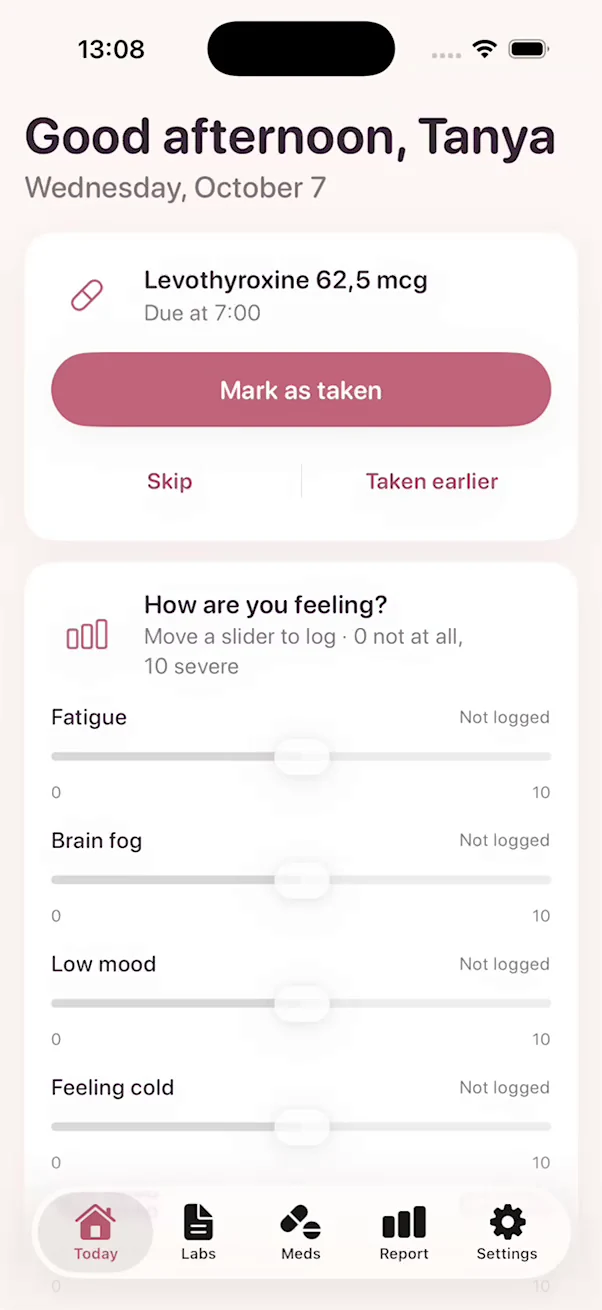
Log your dose in one tap
Mark a dose as taken and see when it's okay to eat or have coffee. Then move a few sliders to note fatigue, brain fog, mood, feeling cold and sleep. The whole thing takes under 20 seconds.
A private thyroid tracker for iPhone. Log in seconds, and bring a clear summary to your doctor.
Your data stays on your phone. No account needed.
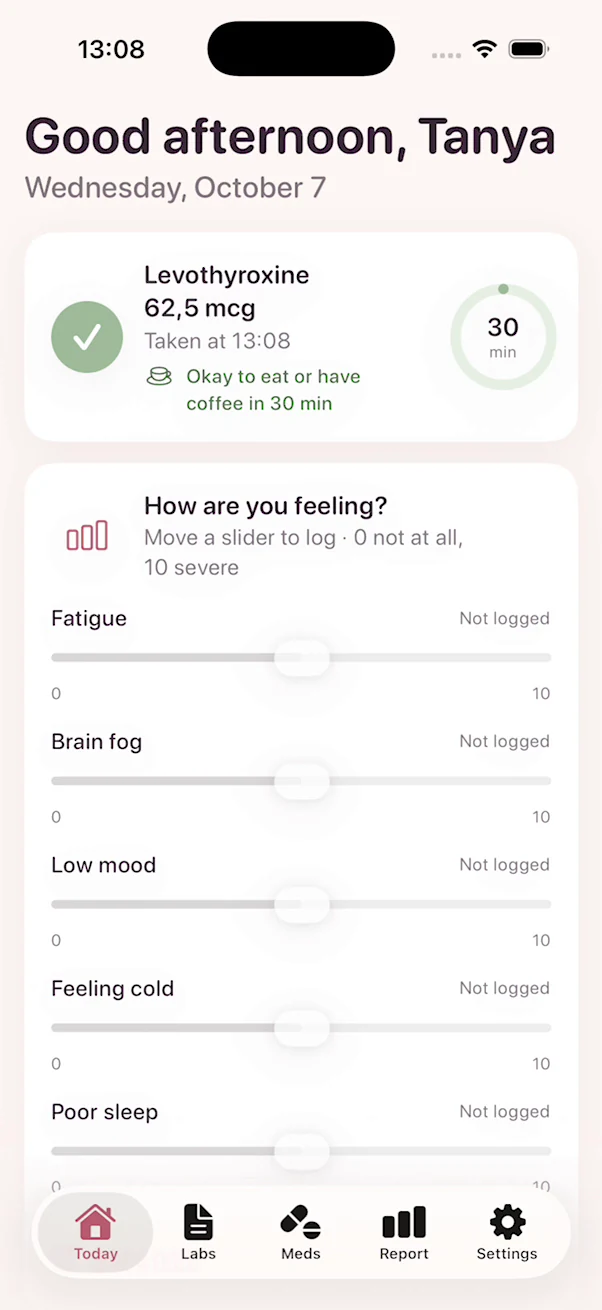
Mark a dose as taken and see when it's okay to eat or have coffee. Then move a few sliders to note fatigue, brain fog, mood, feeling cold and sleep. The whole thing takes under 20 seconds.
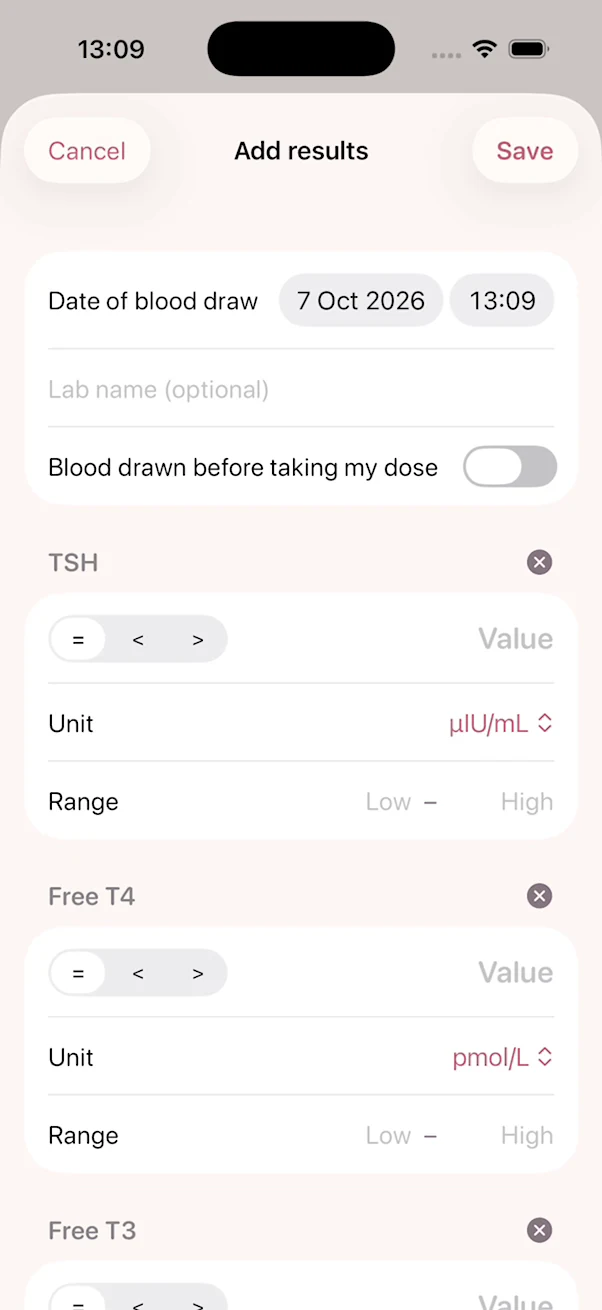
Add TSH, Free T4, Free T3 and more from the same blood draw. Each result keeps the unit and reference range from your own lab, and charts show a marker wherever your dose changed.
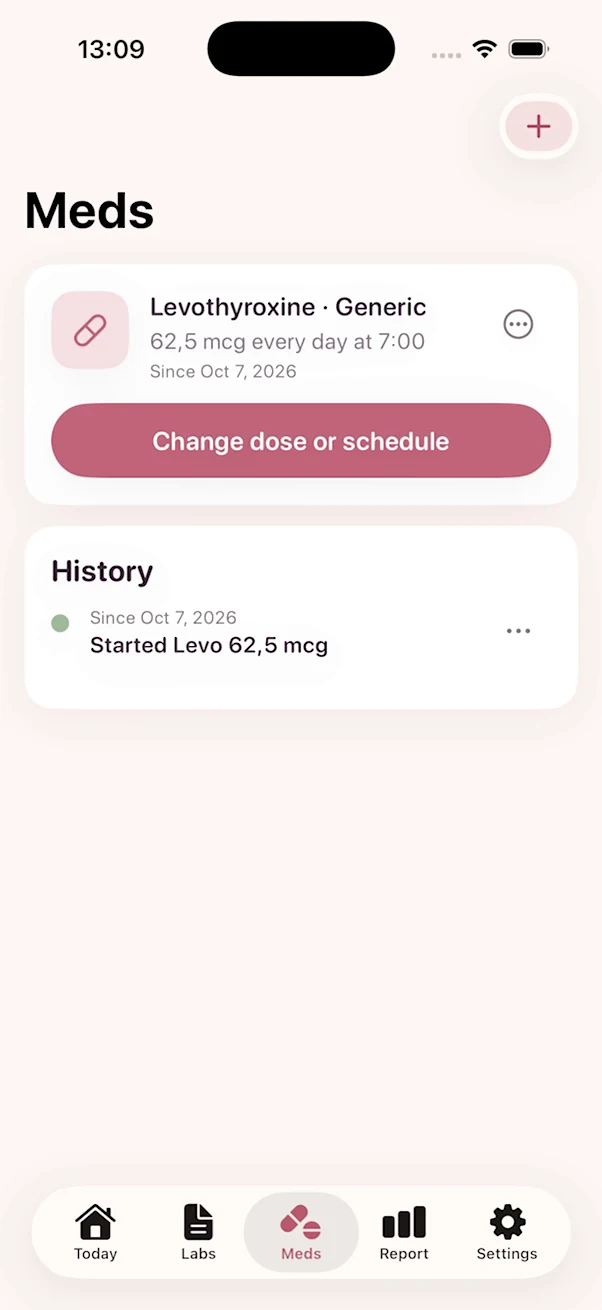
Keep each medication with its dose and time, by generic name or brand. Get a reminder when a dose is due, and keep a dated history of every change.
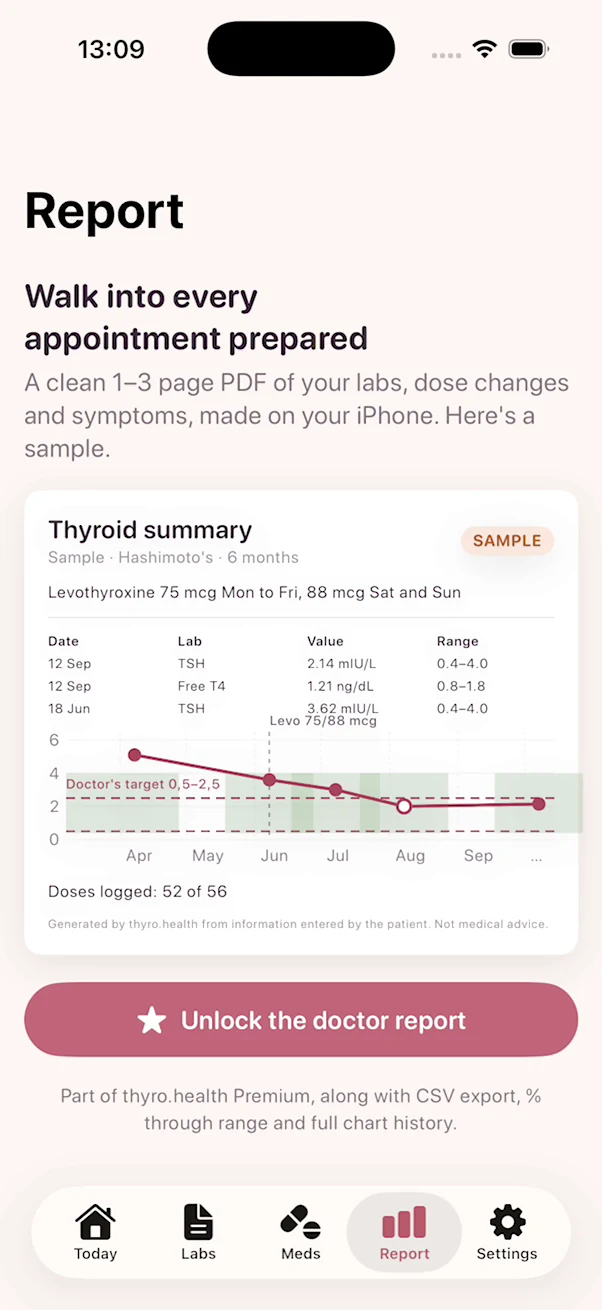
A clean 1 to 3 page PDF of your labs, dose changes and symptoms, made on your iPhone. Print it, email it or show it on your phone. The doctor report is part of thyro.health Premium.
thyro.health was built so that we never hold your records. Everything you log lives on your own phone.
Read the privacy policyYour records stay on your phone unless you choose to export them.
Open the app and start logging. There is nothing to register.
We never see what you log, and the app has no ad or analytics tools inside it.
Locks the app after a minute in the background and hides your data in the app switcher.
Pick all that apply when you start. This sets up your labs and symptoms, and you can change it anytime.
No. thyro.health helps you record and organize your health information. It does not give medical advice, and it never tells you whether a result is good or bad. Always talk to your doctor before changing your treatment.
On your iPhone only. Nothing you log is sent to us or to anyone else.
No. Open the app and start logging.
Yes. Logging labs, medications and symptoms is free and unlimited, along with charts for the last 6 months, reminders, backups and the Face ID lock. thyro.health Premium adds the doctor report, CSV export, the % through range view and full chart history. Prices are shown in the app before you buy.
Yes. With thyro.health Premium, the Report tab creates a PDF you can print, email or show on your phone.
Your records are included in your iPhone's own backups, so they move with you when you set up a new iPhone from a backup. You can also export a backup file from Settings and import it on the new phone.
Subscriptions are managed by Apple. Open Settings on your iPhone, tap your name, then tap Subscriptions.
Not right now. thyro.health is available for iPhone on iOS 17 and later.
Email us at [email protected].
Add your most recent results, then build your history from there.